Mirathor Quellith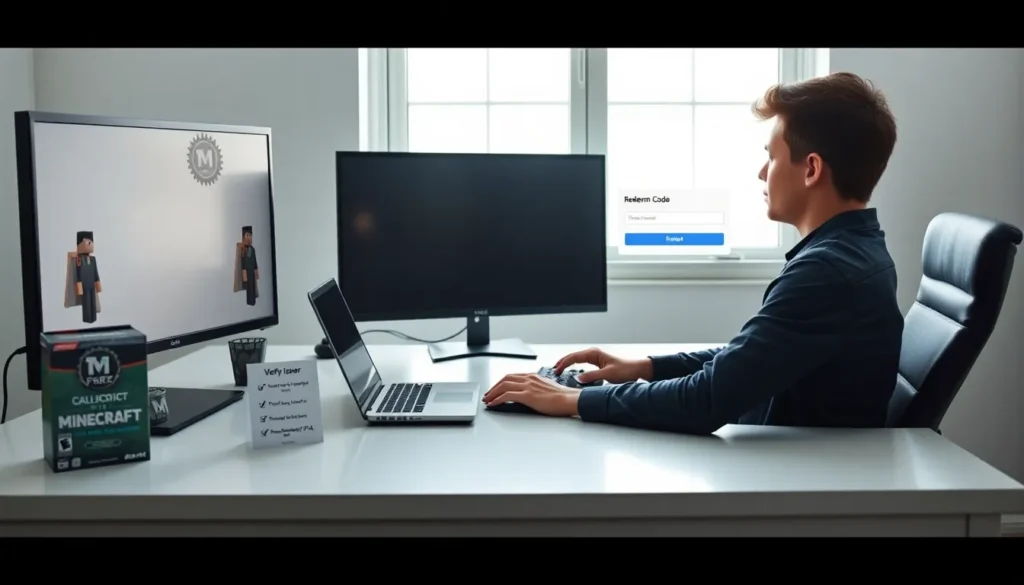
Minecraft cape codes give players a way to add capes to their character. They grant a visual item that appears on the player model. They often come from events, promotions, or community projects. This article explains what cape codes are, where to find them, how to redeem them, and how to stay safe.
Key Takeaways
- Minecraft cape codes are short redeemable strings that link a cape asset to your account, so always sign into the correct Minecraft account before redeeming.
- Find legitimate cape codes on Mojang/Microsoft announcements, official event pages, verified creators, or retailer receipts and avoid unknown forums or suspicious sellers.
- Redeem codes on the official redemption page or launcher, enter the code exactly (no extra spaces), then restart or reload your skin if the cape doesn’t appear.
- If redemption fails, check for typos, expiration, account mismatch, launcher/client compatibility, or server rules and contact the issuer or support if needed.
- Protect yourself from scams by buying only from trusted sources, using buyer-protected payment methods, never sharing your password, and enabling two-factor authentication.
What Minecraft Cape Codes Are And How They Work
Minecraft cape codes provide a short string that a player redeems to get a cape. A code links a player account to a cape asset. The game then shows the cape on the player model in supported versions. Some capes require the official launcher. Other capes show in third-party clients or on servers that allow custom textures.
Developers issue some cape codes. Event organizers give others. Community creators share codes for limited runs. The code usually has an expiration date. The player must claim the code before the date passes. Codes often validate against a server or a web service. The service then grants the cape to the linked account.
A player must use the right account. Minecraft uses the account identity to attach the cape. If the player signs into a different account, the cape will not appear. The player should confirm the account email and username before redeeming a code.
Types Of Cape Codes: Official, Event, And Community
Official cape codes come from Mojang or Microsoft. They include promotional caps and partner gifts. These codes often arrive in email, purchase receipts, or bundled products.
Event cape codes come from conventions, tournaments, or charity streams. They use time limits. They target attendees or viewers. They may require event registration.
Community cape codes come from creators and server owners. Community creators may release small runs. Server owners may issue codes to active players. Community codes can add variety, but they also carry higher risk of being revoked if the issuer made a mistake.
Each type has tradeoffs. Official codes feel safer. Event codes offer exclusives. Community codes offer variety.
Where To Find Legitimate Cape Codes
Players should check official announcements first. Mojang and Microsoft post offers on their blogs and social channels. Official store pages list bundled capes and code redemption steps.
Event pages list cape code drops for convention attendees and stream viewers. The event organizer usually posts code terms and claim windows. The player should read those terms.
Community creators post codes on trusted channels. These channels include verified Twitter accounts, YouTube descriptions, and official Discord servers. The player should prefer sources with a clear history.
Retailers sometimes include cape codes in product packaging. The player should inspect physical and digital receipts. If a seller posts a code on a marketplace, the player should verify the seller rating and past feedback.
Avoid random forums and unknown sellers. Random posts often contain expired or fake codes. If a deal looks too cheap, it likely has a problem.
How To Redeem A Cape Code (Step‑By‑Step)
Step 1: Sign into the correct Minecraft account. Step 2: Find the official redemption page or launcher option. Step 3: Enter the cape code exactly as shown. Step 4: Confirm the code and follow any on-screen prompts. Step 5: Restart the game or reload the skin if required. Step 6: Check the player model in a supported client or server.
Players should enter codes without extra spaces. The site may reject codes with typos. If the code fails, the player should confirm the code scope and the account region.
If the player redeems a code on the official site, the cape should link immediately. If the player redeems on a third-party site, the site may provide additional steps. The player should follow those steps carefully.
Common Problems When Redeeming Codes And How To Fix Them
Code entry often fails due to typos. The player should copy and paste the code when possible. The player should avoid adding spaces or extra characters.
Codes sometimes expire. The player should check the expiration date and claim quickly. If the code expired, the issuer may not reissue it.
The wrong account will block the cape. The player should sign out and sign in with the account that registered the purchase or event.
Launcher or client mismatch can hide capes. The player should verify the launcher version and the client settings. Some capes only display in the official Java edition or in select Bedrock clients.
Server rules may hide capes. The player should check server settings and ask an admin for help. Some servers block capes to avoid unfair advantages or visual clutter.
Safety, Scams, And How To Verify Authenticity
Scammers sell fake or stolen cape codes. They often advertise codes at low prices. They may ask for payment via untraceable methods.
Players should buy codes only from official stores, event pages, or trusted creators. The player should check seller reviews and transaction records. The player should use payment methods that offer buyer protection.
To verify a code, the player should check for confirmation from the issuer. The issuer often posts a code list or a redemption link. The player should cross-check the code against official posts.
If the player suspects fraud, the player should report the seller to the marketplace and to the game support. The player should change account passwords and enable two-factor authentication when available.
Players should not share account details to get a cape. No legitimate issuer will ask for a password. If someone requests a password, the player should refuse and report the request.
Alternatives To Cape Codes: Skins, Mods, And Marketplace Capes
Skins let players change their look without a cape. Players can buy skins from official stores or create them with editors.
Mods can add capes and custom visuals. Players should use mods from trusted sources. Mods may require a specific game version.
The in-game marketplace offers capes in some editions. Players can buy marketplace capes with in-game currency. These capes appear instantly and reduce code risk.
Servers sometimes sell cosmetic items in their shops. The player should review server rules before purchasing. Marketplace and server options often feel safer because they do not require external codes.