Gaming Security Beyond Passwords: What Players Should Actually Protect
 Pernithia Galnith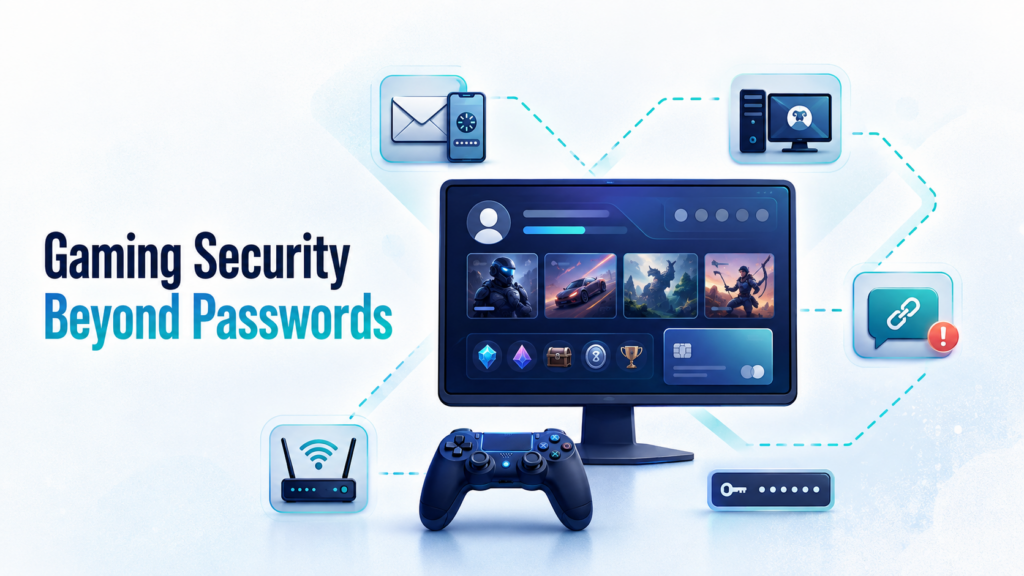
Gamers will spend hours fine-tuning a character build, learning a new map, or squeezing a few more frames out of their hardware. Yet many rarely stop to consider how much of their digital life is tied to a gaming account.
An account may contain purchased games, rare skins, virtual currency, friend lists, chat histories, and saved payment details. For streamers and competitive players, it may also represent years of audience growth and hard-earned credibility. Losing access is not always as simple as creating a new username and starting again.
A strong password helps, but gaming security now extends far beyond the login screen. Recovery emails, fake tournament invitations, Discord links, public profiles, and home network exposure can all create openings. Good protection means looking at the account, device, social interactions, and network connection as parts of the same system.
Start by checking what your gaming account contains
Open the account settings for the platforms you use most often. Alongside your game library, you may find stored card details, purchase records, your real name, date of birth, phone number, or billing address.
The risk may also spread across platforms. Many players use the same email address for Steam, Epic Games, PlayStation Network, Xbox, Discord, and streaming services. If those accounts share the same or similar passwords, one exposed login can place several accounts at risk.
The recovery email deserves particular attention. Even if a gaming platform has multi-factor authentication enabled, an attacker who gains control of the recovery inbox may be able to reset the password. In practice, the email account connecting all your gaming profiles may be more valuable than any individual game account.
Use a unique password for your main email and for each important platform. A reputable password manager makes this much easier. Where possible, use an authenticator app or security key for multi-factor authentication. If a platform only supports text-message verification, enabling it is still better than relying on a password alone.
Prepare for account recovery before you need it
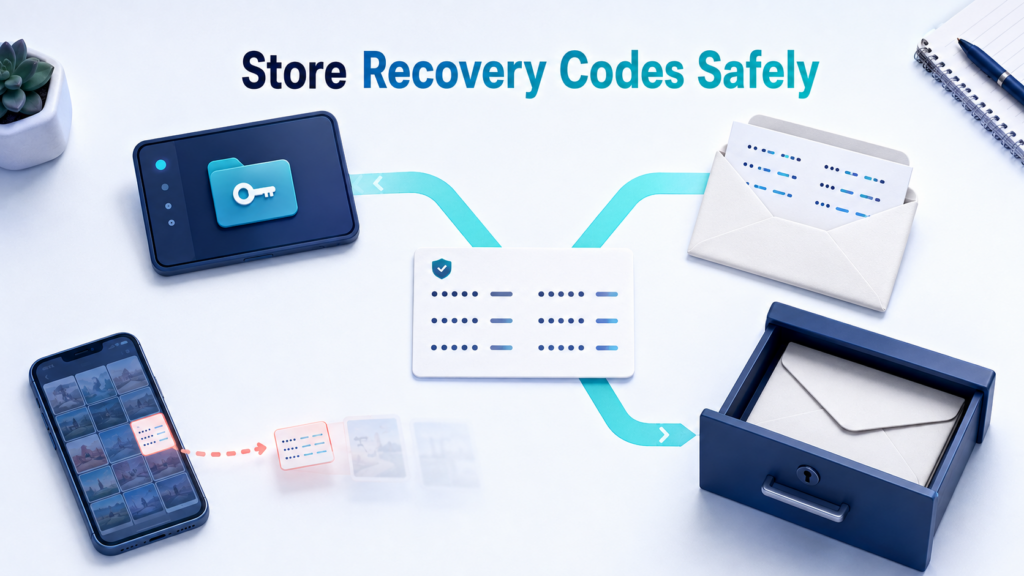
When multi-factor authentication is activated, many services provide a set of backup recovery codes. These codes allow you to regain access if your phone is lost, your authenticator app is removed, or your number stops working.
Keeping a screenshot in your phone’s photo gallery is convenient, but it may expose the codes to anyone who accesses the phone or its cloud backups. Store them in an encrypted password manager instead, or print a copy and keep it somewhere secure.
It is also worth checking how account recovery works on your main gaming platforms. Does the service require a previous purchase receipt? Is the linked phone number still active? Can you access the original email address? Sorting this out now takes only a few minutes. Doing it after an account has been locked or stolen is considerably harder.
Most gaming scams exploit trust, not technical flaws
An attacker does not always need to crack a password. Convincing a player to hand it over is often easier.
Free skins, limited-time items, beta invitations, team recruitment messages, and tournament offers are familiar bait. A link may come from a stranger, but it can also arrive through a friend whose account has already been compromised. The page may copy the official colors, logo, and login window convincingly, with the only warning hidden in a slightly misspelled domain.
Item-trading scams follow a similar pattern. Someone may ask you to open a “price checker,” install a trading extension, or sign in to a third-party site to verify your inventory. Fake tournaments may require a player to download a team sheet, custom launcher, or supposed anti-cheat tool.
Instead of opening a link from a chat window, type the official website address yourself or find the event through the platform’s own app. Any request to disable security software, reveal a verification code, or complete a login immediately deserves extra scrutiny.
Test network tools under comparable conditions
When trying to fix high latency, packet loss, or unstable connections, players often change DNS settings, adjust their routers, or try a VPN. The trouble begins when they test one match and draw a permanent conclusion.
Gaming performance changes with server location, ISP routing, Wi-Fi quality, background downloads, and congestion at different times of day. Two players using the same tool may therefore see very different results. Before paying for a subscription, a VPN free trial gives you a chance to see how the connection behaves with your own games, devices, and internet provider.
Try to keep the test conditions consistent. Connect to the same game region at roughly the same time, then compare performance without a VPN and through several nearby VPN servers. Look at average latency, jitter, packet loss, and disconnections rather than focusing on the lowest ping briefly displayed in a game lobby. Stability across an entire match is usually more informative.
X-VPN is one example of a consumer VPN service that offers a time-limited trial of its premium features. For a player, the useful part of a trial is not that it proves a performance claim in advance. It allows the service to be tested on the setup that actually matters.
If latency rises noticeably, try a server closer to your physical location or to the game server. If the connection remains worse, your normal ISP route may already be more direct. There is little value in leaving a VPN connected simply for the sake of using one.
Understand what a VPN changes—and what it does not
A VPN creates an encrypted connection between your device and a VPN server. Online services generally see the server’s public IP address instead of the public IP assigned to your home connection. This can add a layer of network privacy, particularly on public Wi-Fi or when you do not want to expose your usual IP address directly.
In some games and voice tools that use peer-to-peer connections, other participants may be able to discover a player’s public IP address. Many modern games route traffic through dedicated servers instead, so the level of exposure depends on the game, platform, and connection design. Understanding how using a VPN for gaming changes your visible IP address and traffic route can help you decide when the extra layer is useful.
Its limits matter just as much. A VPN cannot stop you from entering a password on a phishing page. It will not remove malware already installed on a computer, secure an account that lacks multi-factor authentication, or make a suspicious download safe. Nor should it be treated as a button that automatically lowers ping.
A VPN may improve a gaming connection when the new route avoids inefficient ISP routing or local congestion. It may also increase latency when the selected VPN server is too far from the player or game server. There is no universal result, which is why testing matters more than marketing language.
Voice chat and public profiles can reveal more than expected
Not every privacy problem begins with a technical attack. Sometimes an ordinary conversation provides enough information to create a risk.
A player might casually mention a city, school, workplace, or usual playing schedule in voice chat. A livestream can reveal an email notification, real name, time zone, delivery address, or filename on the desktop. Reusing the same username and profile picture across platforms also makes it easier for strangers to connect a gaming identity with personal social media accounts.
Frequent streamers can create a separate operating-system account for gaming and broadcasting, turn off desktop notifications, and check open browser tabs before going live. Public gaming profiles rarely need to show a precise location, complete friend list, or detailed activity history.
Players who join tournaments, manage communities, or trade items publicly may also benefit from keeping their contact email separate from the private inbox used for account recovery. If the public address begins receiving phishing messages, it will not provide a direct path to the most important accounts.
Take ten minutes before your next session
Gaming security does not need to become another complicated maintenance routine. A short review can remove many of the most common weaknesses.
Check that your main email and gaming platforms use different passwords. Turn on multi-factor authentication, store the recovery codes safely, and remove access previously granted to apps you no longer use. Review saved payment methods and install updates for the operating system, game launcher, and security software. Any unofficial mod, plugin, or “performance optimizer” deserves another look at where it came from and what permissions it received.
At the network level, check for router firmware updates, use a strong Wi-Fi password, and review unfamiliar connected devices. If you decide to use a VPN, test it with the games and regions you actually play instead of assuming every server will perform in the same way.
No setup can eliminate every online risk. However, protecting the recovery email, login process, device, public identity, and network connection closes many of the easiest routes into an account. That usually does more for gaming security than making an already complicated password a few characters longer.