Pernithia Galnith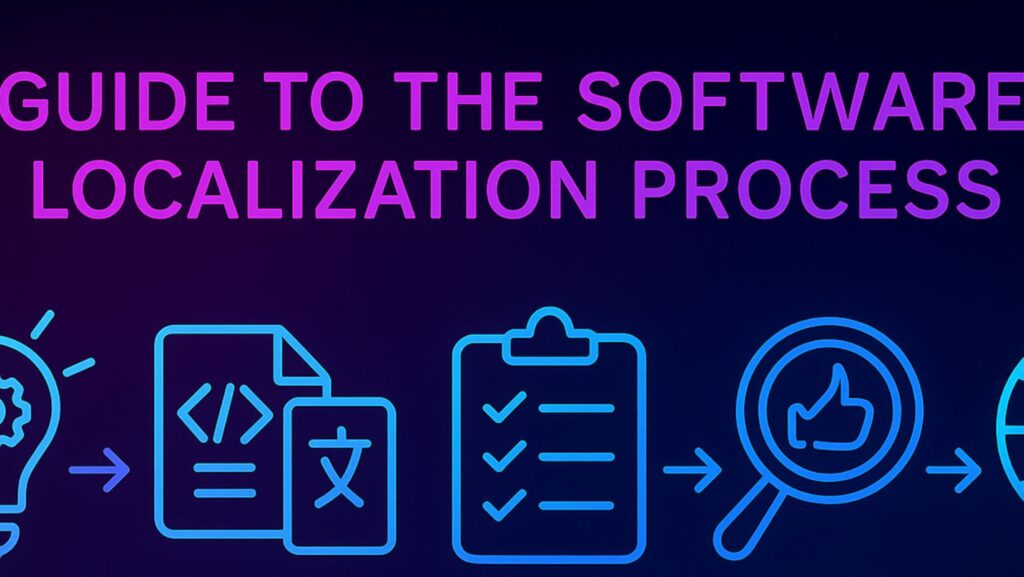
The global demand for software products continues to grow, and with it, the need for effective software localization has become more critical than ever. Localization is not just about translating text – it’s about adapting a product to fit the cultural, linguistic, and technical expectations of a target market. For software companies aiming to reach international audiences, mastering the software localization process is essential for success.
What is software localization?
Software localization is the process of adapting a software product to meet the language, cultural, and technical requirements of a specific region or market. This goes beyond simple translation and includes modifying user interfaces, date and time formats, currency, and even graphics to ensure the product feels natural and intuitive to users in the target locale. The software localization process is a multi-step workflow that involves planning, translation, adaptation, testing, and deployment.
Software Localization Process
The process of software localization is a structured approach that ensures high-quality, culturally appropriate software for global users. It is a collaborative effort involving developers, translators, project managers, and quality assurance specialists. The process is designed to minimize errors, reduce time-to-market, and maximize user satisfaction.
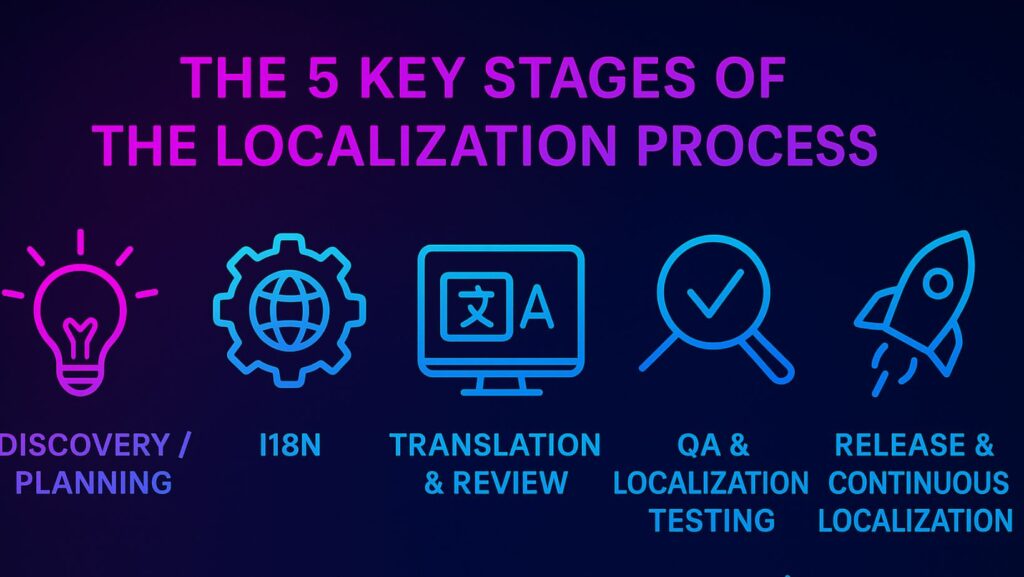
The 5 Key Stages of the Localization Process
1. Preparation and Planning
The first stage of the software localization process is preparation and planning. This involves identifying the target markets, defining the scope of localization, and assembling the necessary resources. Teams must decide which languages to support, what features require localization, and how to manage the workflow. Platforms help centralize project management, assign tasks, and track progress across teams, making large-scale localization easier to coordinate.
2. Internationalization
Internationalization is the technical foundation of localization. It involves designing the software so that it can be easily adapted to different languages and regions without requiring code changes. This includes separating text from code, supporting Unicode, and ensuring that the user interface can accommodate text expansion and different writing directions. Internationalization is crucial because it streamlines the localization process and reduces the risk of technical issues during translation.
3. Translation and Adaptation
Once the software is internationalized, the next stage is translation and adaptation. This is where the actual localization work takes place. Translators use CAT tools to translate user interface strings, documentation, and other content. Platforms such as Crowdin provide a collaborative environment where translators can use translation memory, terminology management, and automated QA checks to ensure accuracy and consistency. Adaptation also involves modifying graphics, icons, and other visual elements to suit the cultural preferences of the target market.
4. Testing and Quality Assurance
After translation and adaptation, the software undergoes rigorous testing and quality assurance. This stage is critical to ensure that the localized product functions correctly and provides a seamless user experience. Testing includes linguistic validation, functional testing, and user acceptance testing. Linguistic validation checks for accuracy, consistency, and cultural appropriateness. Functional testing ensures that the software works as expected in the target language, including proper display of text, correct handling of special characters, and compatibility with local standards.
User acceptance testing involves real users from the target market to provide feedback on the localized product. Localization management systems support this stage with features for feedback collection and issue tracking, allowing teams to identify and resolve problems efficiently.
5. Deployment and Maintenance
The final stage of software localization is deployment and maintenance. Once the localized software passes all tests, it is released to the target market. However, localization is an ongoing process. Software products are frequently updated, and new features are added, requiring continuous localization efforts. Advanced localization platforms facilitate this by enabling teams to manage updates and new releases efficiently. Version control and workflow automation ensure that localization keeps pace with software development, minimizing delays and maintaining quality.
The Importance of Cultural Sensitivity in Software Localization
Cultural sensitivity is a cornerstone of successful software localization. Simply translating text is not enough – localization teams must ensure that the software resonates with users on a cultural level. This means understanding local customs, idioms, and social norms, and adapting content accordingly. For example, colors, symbols, and even humor can have different meanings in different cultures. A feature that is considered friendly in one country might be seen as offensive in another. Localization teams must be aware of these nuances to avoid misunderstandings and ensure a positive user experience.
This also extends to user interface design. Localization teams must consider how different cultures interact with technology, including reading direction, navigation preferences, and accessibility requirements. By taking these factors into account, software companies can create products that feel natural and intuitive to users in every market. In today’s globalized world, cultural sensitivity is not just a nice-to-have – it’s a necessity for successful software localization.
FAQs about Software Localization Process
What is the difference between localization and translation?
Localization is a broader process that includes translation but also involves adapting the software to fit the cultural, linguistic, and technical requirements of a specific market. Translation is just one component of localization.
How long does the software localization process take?
The duration varies depending on the project’s size, number of languages, and available resources. Small projects may take a few weeks, while large-scale localization can take several months.
Can the software localization process be automated?
Many aspects can be automated using tools like Crowdin. Automation can streamline workflow management, translation, and QA, but human oversight remains necessary for cultural and linguistic accuracy.
What are the common challenges in software localization?
Key challenges include maintaining consistency across languages, managing updates, dealing with technical limitations, and ensuring cultural relevance.
How can I ensure the quality of localized software?
Use linguistic validation, functional testing, and user acceptance testing. Employ a centralized localization management platform to maintain consistency and track QA feedback.
What types of software can benefit from localization?
All types – web applications, mobile apps, SaaS platforms, video games, and enterprise systems – can benefit. Any software used internationally should consider localization early.
How much does software localization cost?
Costs depend on factors like language count, content volume, technical complexity, and whether automation tools like Crowdin are used. Prices can range from a few thousand dollars for small apps to tens of thousands for enterprise products.
What file formats are typically supported in localization tools?
Most professional tools support JSON, XML, YAML, RESX, PO, XLIFF, and CSV files, making integration with development pipelines straightforward.
How do translation memories and glossaries improve localization?
Translation memories store previously translated segments to ensure consistency and reduce cost. Glossaries maintain uniform terminology across projects.
What are best practices for managing multilingual updates?
Implement continuous localization: integrate translation workflows directly into CI/CD pipelines, use version control, and synchronize updates automatically through APIs.
Can small businesses benefit from localization?
Yes. Even small apps gain significant advantages by offering local language support – it improves adoption, user trust, and retention in new regions.
How do I choose a localization platform?
Look for scalability, ease of integration, automation capabilities, and collaborative features. Cloud-based tools like Crowdin are popular for teams that need flexibility and version control.
How can localization improve ROI?
Localized products reach broader audiences, increase conversions, and improve customer satisfaction. The ROI is measurable through higher retention and regional growth metrics.
Is localization only about language?
No. It also includes adapting images, colors, payment options, measurement units, and even customer support tone to align with local expectations.
What’s the role of developers in localization?
Developers prepare the codebase for localization (internationalization), extract translatable content, and ensure proper integration of localized files back into the product.
Conclusion
The workflow for adapting software for global audiences is complex but essential for any company aiming to reach international markets. By following a structured approach and leveraging advanced localization technologies such as Crowdin, software teams can ensure that their products are not only translated but also culturally and technically adapted to meet the needs of users worldwide. As the demand for localized software continues to grow, mastering this workflow will be key to success in the global market.