Pernithia Galnith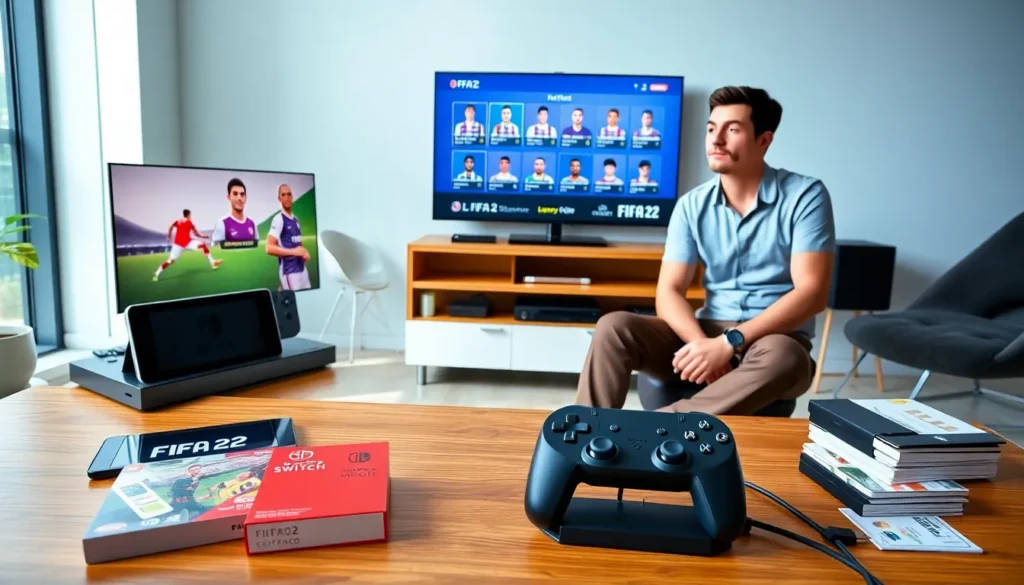
FIFA 22 Nintendo Switch offers a carry-anywhere soccer game. It uses the Legacy Edition on the platform. Players expect updated kits and rosters. They should not expect next-gen gameplay or major engine upgrades.
Key Takeaways
- FIFA 22 Nintendo Switch ships as a Legacy Edition—expect updated kits and rosters but not the new FIFA gameplay engine or next‑gen features.
- Use the Pro Controller and a wired LAN or 5 GHz Wi‑Fi to minimize input lag and stabilize online matches.
- Improve performance by disabling motion blur, lowering crowd and post‑processing details, and pausing background downloads during play.
- Core modes (Career, Kick‑Off, local multiplayer, and FUT) are available on Switch but with trimmed features, fewer promotions in FUT, and no cross‑play with other consoles.
- Buy the Switch version for portability and local couch play; choose PlayStation, Xbox, or PC if you want the latest gameplay systems and higher visual fidelity.
Which Version Ships On Switch? Legacy Edition Explained
FIFA 22 Nintendo Switch ships as the Legacy Edition. EA labels the product as a roster and kit update rather than a full new build. The Legacy Edition reuses the prior Switch engine and gameplay code. It receives seasonal squads and shirt designs but not the new gameplay systems found on PlayStation or Xbox.
What Features The Legacy Edition Includes And Omits
The Legacy Edition includes updated team names, rosters, and kits. It omits major gameplay changes and new match physics. It omits advanced animations and next-gen player models. It keeps core modes like Kick-Off and local play. Players who expect the full FIFA 22 engine will find differences.
How Roster And Kit Updates Are Handled
EA updates rosters and kits via game patches and server-side updates. The Switch copy receives those updates at launch and during official roster windows. The company does not retrofit engine features. For a summary of how FIFA works on the platform, see this guide about fifa on switch.
Gameplay And Performance On Switch
FIFA 22 Nintendo Switch runs on the existing Switch build. The game keeps CPU demands low to match hardware limits. Developers tune the game for consistent frame pacing rather than higher detail.
Graphics, Frame Rate, And Resolution (Docked Vs Handheld)
The Switch runs FIFA 22 at reduced resolution compared to consoles and PC. Docked mode offers higher resolution than handheld mode. Frame rate on Switch aims for stability around 30 FPS. Players will see softer textures and simpler lighting. These visuals differ from PlayStation and Xbox versions.
Controls, Input Lag, And Controller Recommendations
The Switch accepts Joy-Con, Pro Controller, and third-party pads. Players should prefer the Pro Controller for a firmer feel. Wireless input can add small lag in some networks. Players who want minimal delay should use a wired LAN adapter with the dock or a low-latency Wi-Fi band. Review controller tips and family options in this list of switch family games.
Available Game Modes And Notable Limitations
FIFA 22 Nintendo Switch includes many core modes and omits a few extras. EA keeps longstanding modes but restricts some newer features and cross-play functions.
Career Mode, Kick-Off, And Local Multiplayer
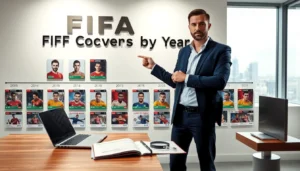
Career Mode on Switch works as a standard manager or player campaign. The mode lacks some advanced scouting and training features that appear on other consoles. Kick-Off supports single matches and local couch multiplayer. Local multiplayer performs well on split-screen and with multiple controllers. Fans of older FIFA entries will find the experience familiar. A historical perspective on FIFA packaging is available in this text about the fifa 12 cover.
FIFA Ultimate Team On Switch: Core Functionality And Restrictions
FIFA Ultimate Team (FUT) runs on Switch with core features: squad building, matches, and packs. FUT limits include reduced promotional content and fewer integration features. Transfer market behavior matches other platforms, but some FUT promotions arrive later or in a trimmed form.
Online Play, Volta, And Other Mode Availability
Online seasons and friend matches work on the Switch. Volta street mode may appear with fewer match types and smaller arenas. Cross-play does not exist between Switch and other consoles. Players should check specific mode lists before purchase.
Tips To Get The Best Experience On Nintendo Switch
Players can improve their FIFA 22 Nintendo Switch experience with a few simple steps. They can reduce visual strain, cut input lag, and smooth online play.
Performance Tweaks And Visual Settings To Adjust
Players should disable motion blur and reduce crowd detail to gain steadier frame pacing. They should lower post-processing effects where the options exist. Players should close background downloads and pause cloud sync during matches to free resources.
Optimizing Controls, Profiles, And Network Settings
Players should bind key actions to comfortable buttons. They should save controller profiles and test them in Kick-Off before online play. For online stability, players should use 5 GHz Wi-Fi or a wired LAN connection with the dock. For general Switch game compatibility and network notes, see this discussion of is genshin on switch.
Buying Guide: Is FIFA 22 On Switch Worth It In 2026?
FIFA 22 Nintendo Switch still serves players who want portable soccer on Switch hardware. The value depends on player priorities. Budget buyers may like the lower price. Fans who want the newest gameplay systems may not.
Digital Versus Physical Copies And Price Considerations
Digital copies offer instant access and small discounts during sales. Physical discs offer resale value and easier transfers between accounts. Prices vary by retailer and season. Shoppers should compare current deals and consider secondhand markets.
Who Should Buy On Switch And Who Should Consider Alternatives
Casual players who value portability should buy FIFA 22 on Switch. Families who play local multiplayer should choose the Switch version. Competitive players and those who want the latest gameplay features should consider PlayStation, Xbox, or PC. For players who want fuller titles or upgrades, the next section lists alternatives.
Alternatives And Upgrade Paths From The Switch Version
Players can upgrade from FIFA 22 Nintendo Switch by choosing other platforms or newer FIFA entries. The other platforms offer full-feature engines and higher visual fidelity.
Other Platforms, Newer Soccer Titles, And Backward-Compatible Options
PlayStation and Xbox versions provide updated gameplay, wider online features, and better visuals. PC versions offer scalable graphics and mod support. Newer soccer titles from different publishers may offer fresh mechanics and alternate modes. Players who own a Switch and want to move to another console should check backward compatibility and edition upgrade paths.