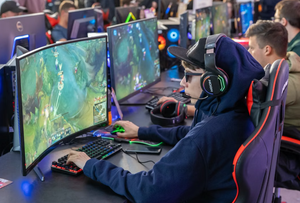
The Ultimate Streamer Growth Guide: Proven Engagement Tactics and Growth Hacks
 Mirathor Quellith
Starting a broadcast on Twitch, Kick, or YouTube is only the easy part. Since millions of streams happen daily, standing out takes much more work than pressing go live and waiting for chatters.
Relying strictly on platform directory browsing is one of the slowest ways to grow an audience. Successful modern streamers operate across multiple platforms, balancing video presentation, real time chat engagement, and external content distribution.
Whether you are working toward your first affiliate status or scaling an established channel into a business, real progress requires actionable, budget friendly tactics.
This guide covers proven growth methods, viewer retention principles, and free resources that help you convert everyday visitors into a strong community.
Optimize Your Technical Setup Using Free OBS Plugins
The first impressions carry huge weight when you go live. Anyone clicking your stream will choose to stick around or leave almost immediately, usually judging your visual setup and mic quality right away. Thankfully, reaching a clean production standard does not require dropping thousands on high end gear.
Fine-Tune Vocal Audio with Free VST Plugins
Nothing kills viewer retention faster than poor sound, even if your video looks great. OBS Studio comes with built-in processing tools and supports external VST plugins to upgrade cheap USB mics.
- Noise Suppression: Enable the internal RNNoise filter to block out persistent background hums like room fans or loud keyboard switches.
- Compressor and Limiter: Keep your volume steady so quiet whispers are easy to hear and sudden screams do not overload your audio meter.
- Equalization: Run a free parametric EQ plugin to shave off muddy low end tones and give your voice a clearer presence.
Utilize Lightweight Overlays and Alerts
Heavy, cluttered overlays distract viewers from your main content. Many streamers crowd their screens with giant graphics, making the video hard to watch on mobile devices. Free tools like Canva and StreamElements offer clean, subtle templates that preserve screen space. A minimal layout keeps your camera and gameplay front and center.
Key tips for a clean stream layout:
- Keep widgets small and display only essential alerts like new followers or subs.
- Use transparent backgrounds to reduce visual clutter.
- Position overlays along the edges of the frame to keep central action clear.
- Check your stream preview on a mobile phone screen to confirm readability.
Master On-Stream Viewer Interaction and Chat Retention
Attracting a new viewer to your channel is only the first step; turning that viewer into an active chat participant is what drives true long-term retention.
Build a Vibrant Channel Points Economy
If your platform features customizable point systems, design rewards that encourage chat participation without disrupting your broadcast rhythm. Move beyond generic options like “drink water” and create dynamic triggers that directly influence the stream. Examples include forcing a hilarious in-game constraint, triggering customized audio clips, or enabling interactive screen filters. Unique, low-cost redemption options motivate casual lurkers to keep the stream running in the background, accumulate points, and actively contribute to chat culture.
Utilize Interactive Community Events
Interactive features are the foundation of viewer retention on Twitch. While custom channel point rewards drive instant chat participation, events like giveaways create bigger spikes in overall stream activity.
Newer streamers often think they need giant prize pools to host a successful giveaway. According to recent Twitch giveaway statistics compiled by StreamerGiveaway, a comprehensive study of over 52,000+ Twitch giveaways revealed that the average giveaway draws just 9 entries.
You do not need a huge audience or deep pockets to run these campaigns. Setting up free OBS integrations linked to chat activity or channel point triggers allows you to build a loyal audience without throwing away money on big prizes.
Expand Reach Using Short Form Content
Most live platforms organize categories by active viewers, which buries smaller streams where nobody sees them. To fix this, build an audience on short form video apps that distribute content using interest based algorithms.
Turn Stream Clips into Mobile Videos
Single broadcasts often hold several great moments, such as impressive gaming wins, funny accidents, or helpful tips. You can use tools like CapCut, DaVinci Resolve, or Twitch Clip Editor to transform wide landscape clips into vertical 9:16 videos built for mobile scrolling.
Maintain a Multi-Platform Posting Schedule
Publish finished edits to TikTok, Instagram Reels, and YouTube Shorts. Applying a few simple edits will increase viewer retention:
- Hook the Viewer: Drop viewers straight into the action during the opening three seconds. Skipping the slow setup keeps attention focused on your clip.
- Include Auto-Captions: Add clear text overlays to every post. Millions watch videos in quiet environments without turning the volume up.
- Add a Clear Call-to-Action: Give viewers a direct path to your live stream. A quiet handle overlay or profile link brings in fresh traffic.
Keep Viewers Engaged Off Stream
Your community needs a place to hang out when you are not livestreaming. Setting up a central off stream hub maintains interest in your channel and deepens viewer loyalty between broadcasts.
Run an Active Discord Server
A clean Discord server functions as a virtual town square for your channel. Organize it with clear channels for game news, funny clips, live updates, and open voice chat. You can set up bots like MEE6 or Carl bot to alert your community instantly whenever you go live, avoiding buggy platform email notifications.
Simple ways to boost Discord participation:
- Set up specific spaces for off topic chats, art, and gaming highlights.
- Schedule weekly off stream events like community multiplayer games.
- Reward frequent chatters with custom roles and color tags.
- Use poll features to let viewers vote on upcoming stream content.
Build Real Connections with Streamers
Authentic networking means making real friends with creators who stream similar content. Visit channels with audience sizes close to yours, contribute to their chat conversations, and send raids their way when your stream finishes. These natural connections eventually open doors for collaborative streams and organic channel growth.
Check Your Analytics to Upgrade Your Stream
Building an audience gets much easier when you use numbers to guide your decisions. Reviewing your channel metrics monthly shows you what works and what needs adjustment.
- Watch Time and Average Duration: Study video playback logs to find when viewers leave. Identifying low activity moments allows you to rebuild your stream schedule around high energy segments.
- Chat Velocity: Measure total chat messages against your live viewer count. Frequent chat messages show a lively community, even if your total view count is small.
- New versus Returning Viewers: Monitor how many new clicks turn into repeat audience members. High return rates show that your stream creates a welcoming environment.
- Follower Conversion Rate: Look at how many viewers press follow during an active stream. If thousands view your stream but few follow, try adding subtle follow reminders onscreen.
- External Traffic Sources: See where your incoming traffic originates outside platform category feeds. Knowing which social posts drive viewers helps you focus your editing efforts.
Connect with Viewers Beyond Your Broadcasts
You need spaces where your audience can hang out when your stream is offline. Maintaining an active presence outside your stream schedule keeps interest high and brings people back for your next broadcast.
Discord serves as the standard home for stream communities. Set up simple rooms for general chat, game talk, setup photos, clips, and voice channels. Automated bots send instant live notifications, which brings regulars straight to your channel when you hit start.
Building ties with other creators matters just as much. Instead of chasing massive channels, connect with streamers who share your audience size. Drop into their chats, support their broadcasts, and set up joint streams. Group gaming, community contests, and raids help both channels grow together.
Ways to keep your community engaged offline:
- Host weekly game nights on off days to play with regulars.
- Run community polls to let viewers vote on upcoming games.
- Raid smaller or equal sized channels at the end of every broadcast.
- Feature community clips or art on your social feeds.
Final Thoughts
Building a loyal audience in live streaming is a slow process. Nobody blows up off a single trick or secret formula.
Focus on stream consistency, better production, talking with your viewers, and distributing your best clips across social feeds. Reach out to creators at your level and study your monthly numbers to see what works.
Doing these things will not transform your channel in a single week, but it builds real momentum. Broadcasters who focus on making each stream slightly better than the last end up winning in the end.