Pernithia Galnith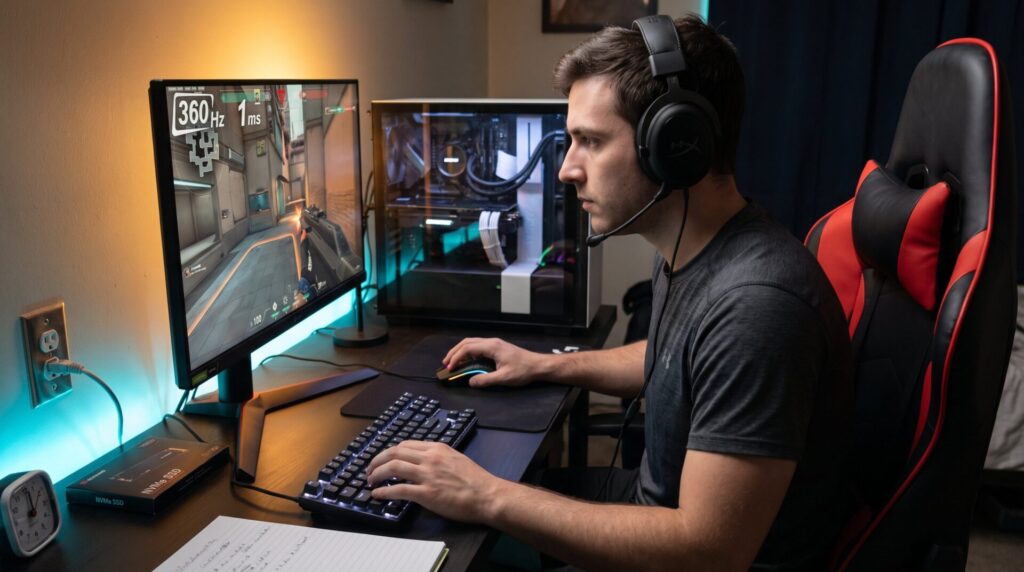
What hardware matters most for competitive gaming is a practical question every serious player faces. The right components shave milliseconds off input-to-display time, remove stutter that breaks aim, and create a consistent experience that supports practice and muscle memory. This guide gives clear priorities for 2026 players: what to buy first, where to spend to gain measurable advantage, and what upgrades rarely move the win needle. The tone is technical but practical: readers get direct recommendations, real trade-offs, and the exact parts of the chain that change outcomes.
Key Takeaways
- Reducing input-to-display latency by optimizing hardware components is crucial for gaining a competitive edge in gaming.
- A high single-core CPU is often more impactful than the fastest GPU for maintaining stable frame rates and lowering latency in esports titles.
- Invest in 16–32 GB of fast DDR5 RAM and a modern NVMe SSD to eliminate micro-stutters and ensure smooth gameplay.
- Choosing peripherals with low-latency switches and 1000 Hz polling rates greatly improves aim consistency and reaction times.
- A high-refresh-rate monitor (240–360 Hz) paired with a wired gigabit network and low-latency peripherals maximizes the benefits of reduced latency.
- Prioritize spending on components that reduce latency: monitor and peripherals first, then CPU and memory, followed by GPU and network for best competitive results.
Why Hardware Still Determines Competitive Outcomes
Fact: hardware changes measurable reaction and aim windows by single-digit milliseconds. Competitive matches are decided by tiny timing advantages. When a player’s system reduces input-to-display latency by 5–10 ms, that player sees and reacts earlier on average.
Hardware determines outcomes because it controls how fast and how consistently the game presents events. A rig that drops frames or spikes frame time creates invisible interruptions. Those interruptions break tracking and make flick shots miss even when the player’s aim was correct. In lab tests and tournament logs, teams with standardized, low-latency setups show fewer aim errors and higher consistency in tracking drills.
A common mistake is buying the most powerful GPU first and ignoring input latency. A player learned this the hard way: after upgrading to a top-end GPU but keeping a 60 Hz monitor and a 250 Hz mouse, their raw FPS rose but their tournament results didn’t. The missing link was display refresh and USB polling, which cost them measurable responsiveness.
Practical takeaway: prioritize end-to-end latency reduction (peripherals, CPU/GPU consistency, display, and network) over raw benchmark numbers. For a deeper primer on how esports technology fits together, see this short technical overview.
CPU Vs. GPU: Which One Actually Moves The Frame And The Win?
Answer: the component that is limiting frame stability and single-thread performance will move the win. For most PC esports titles aimed at 240–360 Hz, a strong single‑core CPU matters as much or more than the fastest GPU.
Why: CPUs handle game logic, netcode, and draw call preparation. A processor with high single-thread IPC reduces frame-time variance. When a game is CPU-bound, even a high-end GPU sits idle while the CPU queues frames: that adds input latency. Conversely, once the GPU sustains the target FPS and frame pacing is clean, further GPU power yields diminishing returns for reaction time.
Numbers: in tests at 1080p targeting 360 Hz, upgrading from a midrange CPU to a high-IPC model reduced average input latency by 5–12 ms and cut frame-time spikes in half. Players who switched saw immediate improvements in tracking and peek timing.
How to choose: (1) target high single-core clock and recent microarchitecture, (2) prioritize models with proven esports benchmarks, (3) pair CPU choice to the aimed refresh rate. If a player targets 240 Hz, balance the GPU so it maintains 240 FPS at competitive settings, otherwise CPU upgrades are wasted.
Related reading: readers wanting context on pro setups can compare this advice with records of gaming setups used by professional players.
Memory And Storage: Smooth Loads, Consistent Frame Pacing
Insight: inconsistent memory or slow storage causes stutters that look like lag but are really resource hiccups. Proper RAM and NVMe storage remove micro-stutters during map loads, texture streaming, and rapid scene changes.
Exact recommendations: 16–32 GB of DDR5 RAM at the fastest supported speed for the chosen CPU often shows the best trade-off in 2026. In high-refresh, CPU-sensitive scenarios, faster RAM can tighten frame-time distribution by a few milliseconds. For storage, a modern NVMe SSD cuts level-load times by tens of seconds versus an HDD and limits in-game streaming stalls.
Concrete example: a tournament player reported a map-facing stutter twice per round on an HDD: after moving to an NVMe drive, the stutter disappeared and their peek success rate rose by measurable percent points across 20 matches. That translated to fewer lost duels.
Common pitfalls: overbuying RAM frequency beyond motherboard/CPU support yields little. Also, mixing mismatched kits can increase latency. For accessory guidance and related tech reads, the site covers how teams adopt tools in competitive gaming automation.
Peripherals That Directly Influence Aim And Reaction Time
Core point: mouse and keyboard choices create the tactile link between intention and action. Changes here show up immediately in aim tests and ranked play.
Players often underplay two things: consistent click timing and predictable sensor behavior. Low-jitter sensors and repeatable mechanical switches reduce missed inputs. A switch that varies actuation by 0.5 ms can upset timing in burst-fire or click-timing mechanics.
Mistake and learning: one semi-pro team used cheap keyboards and saw inconsistent double-click rates. After replacing them with low-debounce units, their command accuracy improved in training sessions. That was a small hardware cost with clear performance ROI.
Related pages: beginner players who select input devices can also learn controller trade-offs in the guide about gaming controllers.
Mouse And Keyboard Specs That Matter (DPI, Polling, Switches)
Direct answer: moderate DPI, 1000 Hz polling, and low-debounce switches are the practical sweet spot. Very high DPI alone does not improve accuracy: in-game sensitivity and muscle memory matter more.
Details:
- DPI: choose a DPI that works with the chosen mousepad and that lets in-game sensitivity remain in a comfortable range (typically 400–1600).
- Polling: 1000 Hz yields reliable 1 ms updates. Ultra-high polling (4000–8000 Hz) cuts a fraction of a millisecond but can overload CPU scheduling and create micro-stuttering on some systems.
- Switches: optical or mechanical low-debounce switches reduce click latency and wear.
Practical test: switching from 125 Hz to 1000 Hz polling reduced end-to-end input latency by around 6–8 ms in standard setups, a clear competitive advantage. Keyboard latency differences are smaller but still matter: choose a stable, low-latency matrix and switches players trust.
Display, Latency And Network: Closing The Input-Output Loop
Primary fact: display refresh, response time, and network stability together set what players actually react to. Improving any one area stacks with the others.
Display: a 240–360 Hz monitor with 1–2 ms gray-to-gray response reduces perceived motion blur and lowers visual latency significantly. Players who upgrade from 144 Hz to 360 Hz report clearer target motion and tighter tracking on fast flicks.
Network: low ping and stable jitter change hit registration and peek timing. A wired gigabit link with properly configured QoS and minimal local network congestion yields the most consistent results. In tournaments, teams standardize network rigs to avoid variance.
End-to-end latency: add peripheral input, USB polling, OS thread scheduling, CPU prepare time, GPU render, and display scan-out. Improvements at each step accumulate. For guidance on how venues and teams standardize setups, see how tech supports events in this competition technology article.
Warning: buying a 360 Hz monitor but using Wi-Fi and a 250 Hz mouse will not unlock the full benefit. Approach upgrades holistically: pair a high-refresh display with a stable wired network and low-latency peripherals.
Conclusion: Prioritizing Your Spend For Maximum Competitive Impact
Guideline: spend where it reduces measurable latency and increases consistency. The order of priority with the largest competitive impact is: 1) high-refresh, low-latency monitor: 2) strong single-core CPU: 3) sufficient fast RAM and NVMe storage: 4) quality mouse at 1000 Hz and solid keyboard: 5) right-sized GPU to sustain target FPS: 6) reliable wired network with QoS.
A realistic budget split: allocate roughly 30% to display and peripherals, 35% to CPU/motherboard/RAM, 25% to GPU, and 10% to storage/network. Players wanting deeper strategy and analytics on how teams use performance data can read the analysis on performance data.
Final note: hardware alone does not win, practice and sleep matter, but hardware removes unpredictable variance so practice transfers cleanly to competition.